Bawls Ginger Review February 16, 2017
Posted by Maniac in Reviews, Site Videos.add a comment
Last week, our favorite high-caffeinated beverage maker announced they had created an all new flavor, Bawls Ginger. Yesterday, we were lucky enough to get our hands on it, let’s see how we like it!
Special thanks to Bawls for sending us a case of the soda!
Final Fantasy Day – The Sky Art Book Review February 4, 2017
Posted by Maniac in Reviews, Site Videos.add a comment
We thought that since it was Final Fantasy Day, we could rerelease one of our classic reviews of a piece of Final Fantasy merchandise. Traditionally, Princess Angel reviews the art books on this website, but in this one case we had to make an exception. The Sky: The Art of Final Fantasy is an anthology of three books featuring Mr. Amano’s original concept art from the first ten numbered Final Fantasy games.
What did we think of these books? Is it worth picking up? Watch our review and find out!
Final Fantasy Day is still going on and plenty more content from across the web is on its way!
Amazon Echo vs Echo Dot, Which Should You Get? January 30, 2017
Posted by Maniac in Reviews.add a comment
The number one Christmas boutique gift item this year had to be Amazon’s line of Alexa powered speakers, the Amazon Echo and the Amazon Echo Dot. I know a lot of people have asked me about these devices, as they can do a lot more than other Bluetooth speakers. They feature access to an internal personal assistant named Alexa, a program which is capable of everything that Apple promised Siri could be, and a lot more. She has amazing voice recognition and can understand tons of direct queries including time, weather, news, and basic information. She can also play music from Tune In, Pandora or Amazon Prime (provided you have an account where applicable).
So if you’re here you’re probably about to ask me, “Which one should I get?”
Well first off, thank you for asking, I appreciate the fact you feel comfortable coming to my website for that kind of information. Pull up a chair.
Next I’d like to say that this is only a review of the devices themselves and not the Amazon services which can expand Alexa’s features like Audacity, Amazon Prime or Amazon Music. If you already subscribe to those services you can do more with your Echo or Echo Dot, but they are not required for the devices to function.
So with all that out of the way, let’s get started.
Design and Appearance
Let’s talk first about each device’s appearance and design.

The Amazon Echo is slightly wider than the width of an aluminum can and about the height of a candle. It has only one input for its power adapter, and features a mute button and a pairing button on top. Volume control is handled by an integrated dial on top of the speaker, which I absolutely love. The rest of the device is taken up by an omnidirectional speaker. The Echo does not have a battery so it will deactivate when unplugged.

The Echo Dot is much shorter than the Echo, but it is still about the size of a hockey puck. It has a USB power input and a standard audio auxiliary out on the bottom of the device, and has the mute and pairing buttons on top. Sadly, the Echo Dot has no volume dial like the Echo, instead there are volume up and volume down buttons on top of the device next to the mute and pairing buttons.
The circular light on top of both devices glow different colors depending on what it is currently doing. It will glow blue when receiving a query with the brightest part of the light shining in the direction of its user’s voice. That way the user knows who Alexa is listening to at that moment. You will see a white light when adjusting volume, and the light will get larger around the top of your device as it reaches maximum loudness. If there’s a problem during setup, it will glow purple.
Edge goes to the Amazon Echo, while the light indicators on both devices are identical and the Echo doesn’t have an external speaker output, its own speaker is awesome and I freaking love that volume dial.
Setup
Next let’s talk about setup and installation. To set up the Amazon Echo or the Echo Dot, you’ll need an internet connected WiFi router, an Amazon account and a SmartPhone or Tablet compatible with the Amazon Alexa app. The process of connecting your speaker to a WiFi hotspot can be a bit complicated, so make sure you remember your WiFi password.
I set up the full sized Echo using my Dad’s iPhone 5 early Christmas morning. I don’t know if it was my dad’s old smartphone, a buggy app, or the fact that it was Christmas morning, but it must have taken at least four attempts for me to connect the Amazon Echo to my WiFi router. When I tried to set up three Echo Dots on a different hotspot later on that night, the process was extremely smooth with no errors. I don’t know if it was because I had more experience setting up the devices, the fact it was later in the day, the different router, or the fact I was now running the Alexa app on a Generation 4 iPad, but I had no problems activating the three Echo Dots.
Under normal circumstances I would give the far edge to the Echo Dot, but as I said earlier I think the discrepancy in setup success might have been caused by outside factors. Under normal circumstances the procedures to activate the devices are identical, which is I was surprised about the discrepancy. I would like to say this should have been an even match but given my issues activating the Echo on Christmas morning I will give a slight edge to the Echo Dot.
Bluetooth
Most people will want to use the Echo and Echo Dot as a BlueTooth Audio Speaker so let me talk about that feature first. To pair your Bluetooth device to the Echo or Echo Dot you’ll need to activate the speaker’s pairing feature in the Alexa app and then search for the Echo on your Bluetooth equipped smart device. The process of Bluetooth pairing is identical on both the Echo and the Echo Dot and in both cases it was painless. Once paired, you can connect your Bluetooth device at any time by selecting your speaker from your device’s Bluetooth menu.
Once paired, how do the devices sound? I’ve tested the Echo with an iPhone 5, iPhone 5s, iPhone 6s, and a third gen iPad. Meanwhile I’ve tested the Echo Dot on an iPhone 7 and LG V20 device. Audio on the Echo sounded incredible, regardless of the device paired to it at the time. I’ve tested it on music, podcasts, YouTube video and they all sounded great coming out of the Echo. Meanwhile, the Echo Dot’s speaker didn’t sound much better than the audio coming out of the iPhone 7 or LG V20 without amplification, which was disappointing.
Now, I know the Echo Dot can output audio to a seperate speaker or headset using either Bluetooth or its AUX port, but in my opinion, that kind of defeats the purpose of the device in the first place. The Echo Dot is intended to be smaller than the Echo, so adding a second speaker to it is an added cost and has the side effect of taking up more space on a shelf or table. Plus, if I already had a quality Bluetooth speaker to stream audio from my smart device on, I might as well just connect my smart device directly to the better wireless speaker and not even bother pairing my device to the Echo Dot!
Edge to the Amazon Echo.
Alexa
Since getting the Amazon Echo for Christmas, Alexa has quickly become the other woman in my life and I love customizing her features. You can enable all-new features for your Echo or Echo Dot in the Alexa app, including expanded news sources and actual games. That’s right, you can actually add features to Alexa just as easily as you install new apps to your smart device. However, since Alexa is run on the Amazon Cloud, your Echo and Echo Dot will never run out of memory so you can enable all the features you want.
If you’re unhappy with Alexa’s default news sources (by default she will pull news from NPR), you can change them in the Alexa app under the Flash Briefing setting. That way you can add other news sources like CNN, CNBC, CNET, BBC and The Daily Show. I recommend some trial and error while testing different news sources as you discover which news format and order you prefer, but eventually you’ll find something you’re happy with.
For new users who want to play games on Alexa I recomend enabling “The Wayne Investigation”, an official Batman Alexa game developed by Warner Brothers. There are also a few independent games inspired by pen and paper RPGs which look like a lot of fun, but I haven’t had the chance to play them yet.
So is there a difference between the two? I’m sad to say there is. When doing Alexa queries on the Echo Dot I would frequently notice a pop or pause during its responses. Since the device was pretty new, I chocked this popping up to internet buffering and not a speaker issue. As a long term audio guy, there is nothing I hate more than hearing pops in my audio playback. In fact this is partially why I will never understand the obsession over vinyl. Meanwhile, after literally hundreds of different Alexa queries on a full sized Amazon Echo, I never noticed a single pop or crackle during Alexa’s responses. And yes, before you ask we were using the recent Echo Dot hardware revision which we were told should have been as fast as the full sized Echo, and we noticed the popping on at least two seperate devices.
We’re still not entirely clear on the exact source of the Echo Dot’s pops. It could be the speaker, the processor, or internet buffering but since I had no such issues with the full sized Echo, I am giving the edge to the Amazon Echo.
Smart Home
At this point I would normally talk about the Echo’s Smart Home features. I do know that Alexa can interface with a wide range of Honeywell Thermostats for home climate control, and smart bulbs for home lighting, but we don’t have access to that kind of hardware here.
After doing a lot of research in the Alexa app, it looks like there aren’t any specific Smart Home apps or features locked to one specific device or the other.
Sadly this section will have to be left blank for now, if we ever decide to update this article in the future this may get changed but for now we will call this section even.
Price
With that all out of the way, let’s talk about price. I’ve seen prices for the Amazon Echo range from $120-$150 US depending on where you bought it from. Mine was purchased off the Home Shopping Network (HSN), and we paid $129 for it. Meanwhile, the Amazon Echo Dot retails for $50US on Amazon.
I know there’s just no comparison in price, you could buy three Echo Dots for the price of one Echo and many people (including us) have done exactly that.
Edge to the Echo Dot.
Final Thoughts
I know it may be more expensive but when it comes to quality and simplicity out of the box I have to give the overall edge to the Amazon Echo. Once I set it up, it just worked, and it never stopped working. Meanwhile, the Echo Dot, while cheaper and equipped with all the features of its big brother, is not as polished a device as the full sized Echo. We believe the Echo is worth the higher price.
Winner: Amazon Echo!
Maniac Tries Starbucks Pokemon Go Frappuccino January 3, 2017
Posted by Maniac in Reviews, Site Videos.add a comment
Starbucks teamed up with the developers of Pokémon Go to turn Starbucks across the country into Pokestop locations. To celebrate this partnership, Starbucks is now offering an exclusive Pokémon Go branded Frappuccino…but it’s not on the menu so you specifically have to ask for it.
So how does it taste for the Pokémon Trainer on the go? Watch our full review.
Buffalo Wild Wings Titanfall 2 Promotion Review November 11, 2016
Posted by Maniac in Reviews, Site Videos.add a comment
As we reported earlier, EA is holding a Titanfall 2 promotion at Buffalo Wild Wings locations all across the country throughout the month of November. They’re giving away exclusive Titanfall 2 multiplayer content to anyone who dines at or orders take-out from Buffalo Wild Wings.
How’s the promotion doing? Watch and find out!
Oh and as a special bonus we will be giving away a Titanfall 2 BWW code to the first person who comments on this article with a link to their Twitter channel!
Titanfall 2 is out now on PC, Xbox One and PS4.
Pokemon Go Review July 8, 2016
Posted by Maniac in Reviews.add a comment
Earlier this week Niantic and The Pokémon Company released this year’s most anticipated SmartPhone app, Pokémon Go, on Android and iOS phones.
Pokémon Go is a free to play SmartPhone game heavily inspired by the Google Maps April Fool’s day prank from two years ago. In it, you take on the role of a Pokémon Trainer trying to capture Pokémon in the real world. To succeed, you must trek around your physical surroundings in a search for hidden Pokémon to capture using your SmartPhone’s camera. This is the kind of game that Pokémon Trainers like myself have been hoping to see since the iPhone was first announced back in 2007. Now that it’s out, I’m sure you’re wondering how well it works. You’ve come to the right place.
I must stress that this review of the app is based on its launch software played without the aid of a Pokémon Go Plus accessory. Those devices are not expected to release until the end of the month, and we will do an alternate review for them when they become available. With that out of the way, let’s start at the beginning.
Setup
To play the game you must download the application to your device and create a Pokémon Trainer. You can log into the app by either creating a unique Pokémon Trainer account or, if you already have a Google account, you can log into the game using that. Once you logged in, you can customize your own Pokémon Trainer avatar. Options for your initial Trainer customization is limited but still diverse enough for you to create a unique likeness.
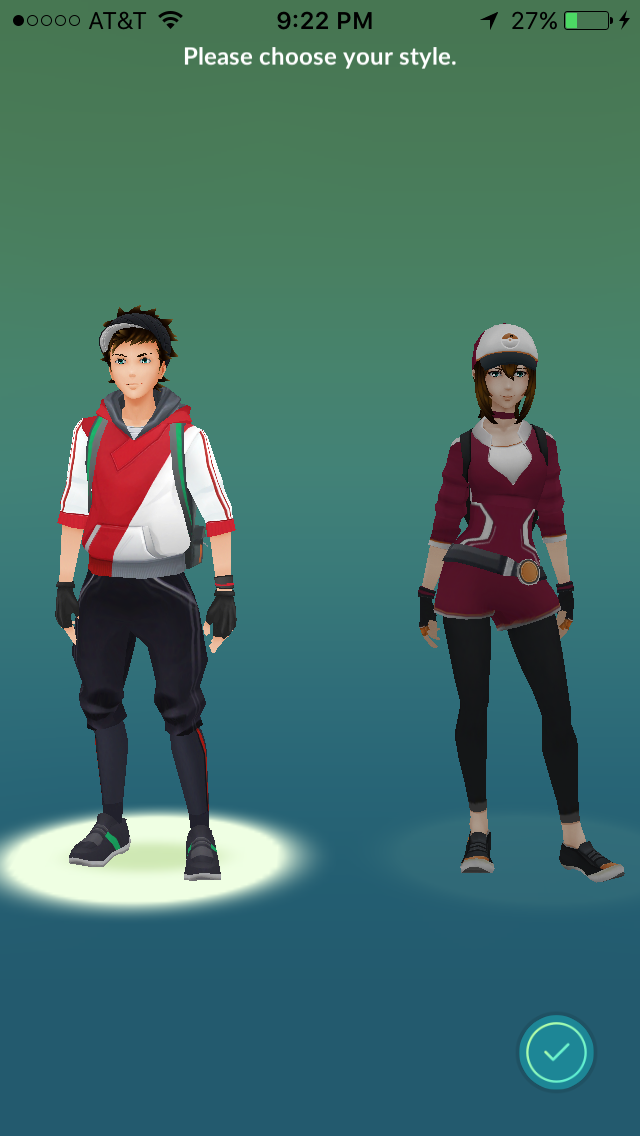
Once you have customized your own Pokémon Trainer, the game begins…
Gameplay
When the game starts, the Pokémon Professor asks you to pick your starter. Your choice is among the three GEN1 starters, Charmander, Squirtle and Bulbsasaur. After selecting which starter you like, the game immediately fires up and gives you an opportunity to capture it. This is your first experience with the game’s unique capture system. In it, you use the touch screen to “throw” Pokéballs at the Pokémon you encounter in the real world. Thankfully, unlike the main Pokémon games, there is no need to weaken Pokémon found in Pokémon Go in advance before capturing them. If you are able to throw the ball well enough, you may succeed in capturing it.
Once I had my starter captured, I received no further tutorial on how to play the game, other than the vague request to visit a local Poké Stop, which in my case was a church down the street from my house. When I got close enough to the church, I was able to access the stop in the app and I earned myself some free Pokéballs.
After that the game provided me no further instruction about what to do so I had to figure it out on my own. The game works like this:
When you bring up the app, it is implied that you will use it while physically walking around your real world environment. A radar in the lower right gives you a general idea about what kind of Pokémon might be in your area, but it’s no guarantee of what you will find during your trek. Turn on your speaker because the game’s phenomenal soundtrack is a great companion.
While you’re walking around your environment, you may randomly come across various wild Pokémon. Their appearance is denoted by a buzz and loud music queue. By tapping on them once they appear, you will bring up a capture screen, where you will be able to see the Pokémon you selected in your device’s camera. From there you can attempt to capture it and if you’re successful, you’ll gain the Pokémon and some experience. When it works, it is so much freaking fun and adds an all new layer to physical activity.
If you wish to evolve or level up your Pokémon you can do so with the help of stardust and candies. You earn stardust and candies automatically with every capture but while stardust can be applied to level up any Pokémon, candies are specific to only the Pokémon of the species you captured. If you want to level up the stats of a specific Pokémon, you can use Stardust and only a few candies to increase their stats. If you want to evolve it, it takes a lot of candies. That means you might want to capture a lot of Pidgeys to eventually evolve one of your Pidgeys into a Pidgeotto.
If you don’t feel like going anywhere you can drop an incense and the Pokémon will come to you. The item will continue to work for thirty real-time minutes. This is a great item for people unable to go outside at a time they want to play the game.
Currently, you must keep the application running at all times to make use of it. Your smartphone will not notify you of any Pokémon you encounter while the app is closed. This will probably change once the Pokémon Go Plus accessory is released.
As you capture more Pokémon your Trainer rank will increase, and with every rank you automatically earn some free items like Pokéballs, Potions, Incense and Revives. There are currently no Great Balls, Ultra Balls or Master Balls in the game, all captures are made with regular Poké Balls so you’re going to need a lot of them. If your supplies run low, you will need to visit a Poké Stop location, or you can buy your supplies with real money.
If you find a Pokémon Egg, you can hatch it by setting it to incubate. Depending on which incubator you use, the egg will hatch once you’ve walked the expected distance the incubator requires. The incubator I’m using requires me to walk two kilometers to hatch an egg.
The game is currently programmed with the initial Generation I (GEN1) Pokémon, but more will be added. Currently there is no way to trade Pokémon with other players but the developers have stated this is intentional. They want us to start accumulating Pokémon on our own before we start trading them.
If we could talk about one major negative I have with this game I must make a reference to the fact that while the game’s 3D Pokemon models are extremely detailed and true to their original designs and sound effects, the game’s map environment (which is what you’ll be looking at most of the time) is pretty uninspired and does not share any relation to Pokémon’s style. Take a look for yourselves.
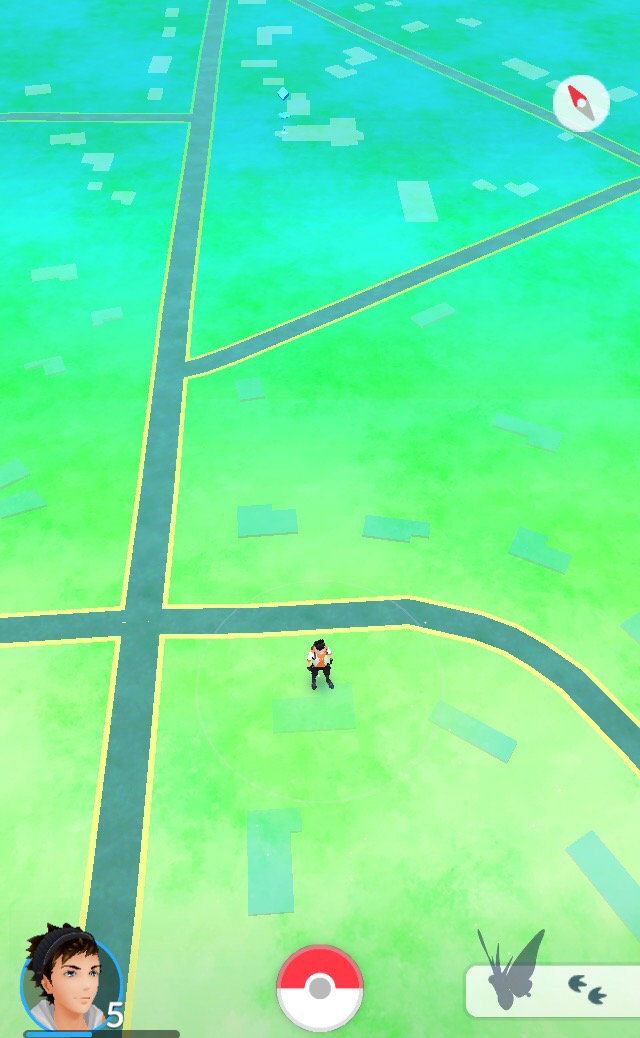
Not even the game’s Pokémon Gyms or Poké Stops look all that visually interesting or even remotely close to their in-game counterparts. Poké Stops look like a small blue mark on your map, nothing like the Pokémon Centers you would traditionally see in a Pokémon game. Gyms looked like nothing more than generic towers. Easy to see on a map but with none of Pokemon‘s unique charm. This is depressing because you can easily see how much care was put into replicating the Pokémon 3D models, the game deserves a more inspired world map. Hopefully this interface will be improved in a new version.
Technical Issues
In the time since I’ve had this game I’ve had to deal with constant random crashes, connection denials and yesterday I was regularly forced to log in more times than I could count. I would normally say that this game wasn’t beta tested, but I know for a fact that it was tested by Pokémon fans all over the world! What happened? I know for a fact I offered to Beta Test this game, but Niantic decided not to accept my help. Most of these technical issues seemed to be caused by the sheer amount of simutanous users playing the game in real-world conditions. During development, Niantic decided to limit worldwide Beta Testing to a select lucky few. Perhaps if they had accepted more testers to stress the game, their service might have been better prepared for what was in store for them when the game officially launched.
Conclusion
In short my advice about this game right now is to download the game but don’t spend any money on it until the network stabilizes. There is a fun game here under an uninspired interface and constant technical issues. In time I’m sure it will come out.
Midsummer Fantasy Renaissance Faire 2016 Review July 1, 2016
Posted by Maniac in Reviews, Site Videos.add a comment
After having such a great time attending last year’s Midsummer Fantasy Renaissance Faire, we decided to attend this year’s event! We got a whole new story, saw some new performers (as well as some old favorites), and enjoyed every bit of it!
That not enough for you? Fine, take a look at our video review.
The Midsummer Fantasy Renaissance Faire 2016 will be happening this weekend at Warsaw Park in Ansonia, CT. Check out their official website for tickets and scheduling information.
Halo Wars 2 Open Beta Review June 17, 2016
Posted by Maniac in Reviews, Site Videos.add a comment
343 Industries released an open multiplayer beta test for Halo Wars 2. Here are our thoughts about the Beta using the power of the Xbox One and Kinect.
If you’re interested in participating in the open beta, you still have a few days to download the Halo Wars 2 client. Anyone who plays one full match will earn a Halo 5 Gold REQ Pack free of charge. After completing five full multiplayer matches, you’ll earn two more Gold Packs free of charge.
Halo Wars 2 is coming February 2017 to Windows 10 and Xbox One.
Quantum Break Zero State Review April 5, 2016
Posted by Maniac in Reviews.add a comment
Editor’s Note: A review copy of the book has been provided to this website by its publisher.
I haven’t had to write a book report in years. Honestly, I was never a fan of writing them to begin with, but I’m such a huge fan of the work of Remedy Games, that when I was given the opportunity to review the novel Quantum Break Zero State, I jumped at it.
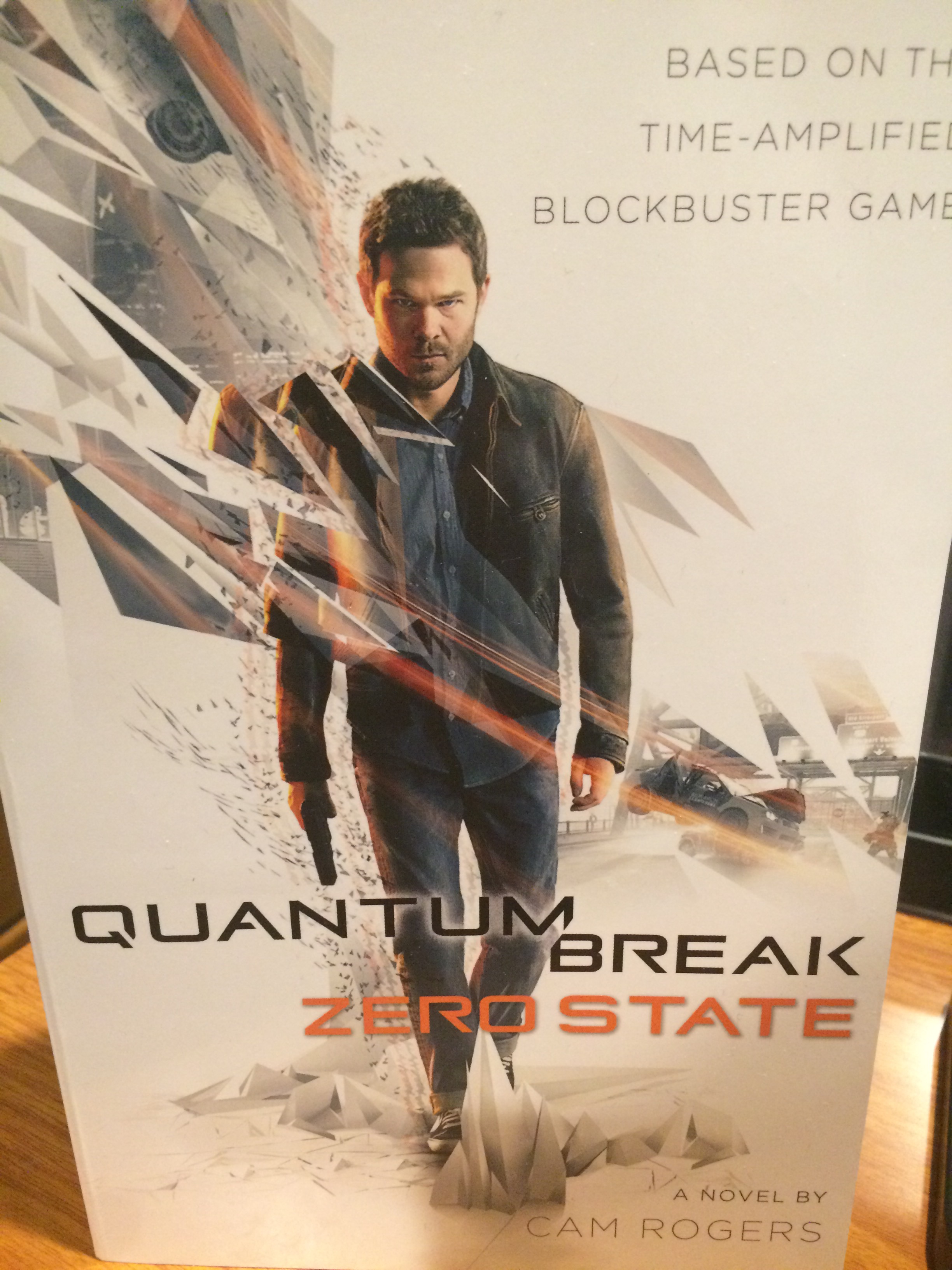
For those of you who don’t know, Quantum Break: Zero State is a new novel by Cam Rogers that is being published by Tor Books. It is a non-canonical novelized version of the original game’s story, but it isn’t an exact adaption of the game. In short, the book can best be described as taking place in an alternate universe to the game’s timeline in the way it presents the reader a POSSIBLE version of the events of Quantum Break. That means that while many of the game’s events are included in the book, some of the events of the book are not featured in the game, or may play out differently in the book than they did in the game. Since I haven’t played the Quantum Break game yet, I can’t comment on how differently the two are, but since the game’s story can branch out depending on the player’s decisions, it is highly likely that your game experience will differ from what transpires in the book. Personally, I don’t believe there’s anything wrong with that, and I have to give big props to the book’s author for taking such a complex branching story and making it into a comprehensive linear narrative.
The book begins with a foreword by Remedy’s lead writer, the original face of Max Payne himself, Sam Lake. I was not expecting it, and thought it was a nice way to set the tone for book. I’ve been a die-hard fan of Sam Lake’s work since I played the first Max Payne on the PC back in Summer 2001, and it was great to see Sam give the book’s author a send off before the narrative kicked in properly.
As I began reading I found the story itself to be quite a page turner. Without trying to spoil anything, I can assure you the exciting events that took place just in the book’s first chapter (which you can read here) immediately grabbed my attention and held onto it tightly as the plot moved along. It wasn’t long before it became clear that author Cam Rogers did his research while writing this book. I’ll let the short video below tell you why.
As you can tell, that tidbit impressed me.
The experience reading this book was certainly a new one for me, because I’ve never read a video game book before I played the game it was based on. To all of you who might be afraid the book will spoil the game for them I have my own thoughts about the experience I would like to share. While I haven’t played the Quantum Break game as of the time I’m writing this review, I can say with some candor that reading Quantum Break: Zero State has only made me want to play the game even more. Instead of spoiling the game’s events, I feel like the book has enhanced my knowledge of the game’s world and character motivations, putting me in the perfect place to begin playing when I finally start streaming the game later today. Since the game has a fluid branching storyline, I know for a fact that I can make different decisions in the game than the decisions certain characters made in the book, essentially providing a new experience. I feel like I’m going into this game fully prepared for everything that is going to be thrown at me, and since this is a complex story about time travel, I’m going to appreciate all the help I can get.
If you’re a fan of Quantum Break or you like to read great action stories I can’t recommend this book enough. Whether you’ve played the game or not, you’re going to find something unique to enjoy in this book. Starting Today, you can find Quantum Break: Zero State at various book retailers in Hardcover and Paperback format. If you prefer a digital version, the book should be available for purchase at select online marketplaces including the Kindle store.
Maniac Tries Bawls Mints March 1, 2016
Posted by Maniac in Reviews, Site Videos.add a comment
Continuing with our ongoing coverage of all things Bawls related, Maniac is going to try something on video for the very first time. Being a huge superfan of the beverage Bawls, he was recently reminded that there was a Bawls product he had never tried before, Bawls Mints.
Bawls Mints are caffeinated candies sold in a tin which capture the flavor of an original Bawls soda, complete with a slight carbonation. Since CompUSA closed down, none of the stores in our area sell it, but it can still be purchased online through the Official Bawls online Store.
So how are these mints? Maniac is about to find out.
Special thanks to Bawls for providing us the mints.
 GameXcess.net - Gaming News, Videos and Editorials!